Recording
The Set Up:
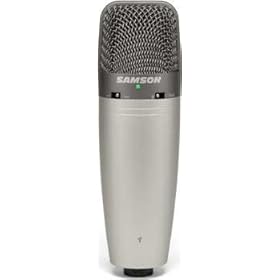 It all starts with the Mic! You’ve gotta have a good mic to feel like you really are producing something of quality. Besides, you want the quality. I use the Samson CO3U USB Mic. I love this thing. Mounted on a shockmount, the sound quality is fantastic and you get little to know vibration noise.
Next you need a piece of software to record your podcast into. I’m digging GarageBand on the Mac, but love Audacity (Mac and PC) as well. Both programs are simple enough for you to get started, and both can expand and give you the control you want over your audio.
Most of our interviews are done virtually. The easiest thing I have found is to record the conversation using Zoom by starting a recording. Zoom auto records audio file of the session that I can drag and drop directly into GarageBand.
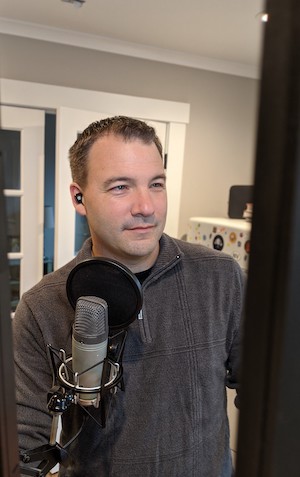 OK, so now we’ve got the mic, the software to record and the system in place to push all the audio you want through your sound card we’re on to the fun stuff.
You’re gonna want some intro and exit music. You can spend a lot of time on the web searching for that perfect sound, that prefect entrance to your recording. I find Free Play Music to be a great site with loads of free to use sounds and short loops.
Or if you really want something original you can use a paid service like Fiverr. A great site that has a lot of professionals that you can pay to create your sound bits for you (that’s what I did).
Another great reason to use Zoom is if you want to stream live just connect your Zoom session to YouTube Live event. Make it “public” and you’re live on YouTube using all the features that Zoom has to offer!
So here’s how I edit my podcasts:
- I record straight into GarageBand or via Zoom for virtual conversations.
- I edit the recording in GarageBand, take out the mistakes, add sounds bits, etc.
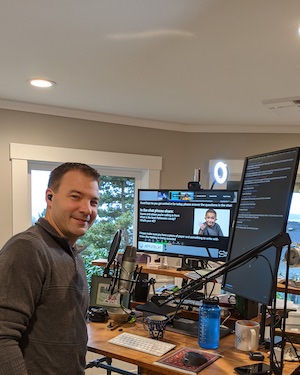 In GarageBand I export to mp3 format at good quality. Because it’s only voice 128kbps is good enough. We’re not going to get CD quality out of Zoom anyway and quality means size. I’d rather have an hour long podcast at 23MB than at 46MB and really not have a sound quality difference. If you look at most podcasts through iTunes you will notice that most are rendered at 128kbps.
- Lastly, you need a place to put your file so others can access it. Using a blog is great, as it comes with a built-in RSS Feed. This site for example is built on WordPress with a podcast theme to make the buttons and tracks appear. You’ll want a place to host your podcast. There are many options out there and I’m in love with Libsyn. You upload your .mp3 file to Libsyn like magic it distributes your podcast to all the appropriate channels. Some channels like Apple Podcast and Google Podcast you have to register your podcast with which is easy enough to do after a simple Google Search to learn how.